Free SVG to PNG Converter
Upload an SVG. Click any shape to recolor or hide it. Pick your scale. Download a crisp PNG.
Drop or Paste your SVG here
or
Accepts .svg files
How to Convert SVG to PNG
A simple workflow to turn vector graphics into high-resolution raster images.
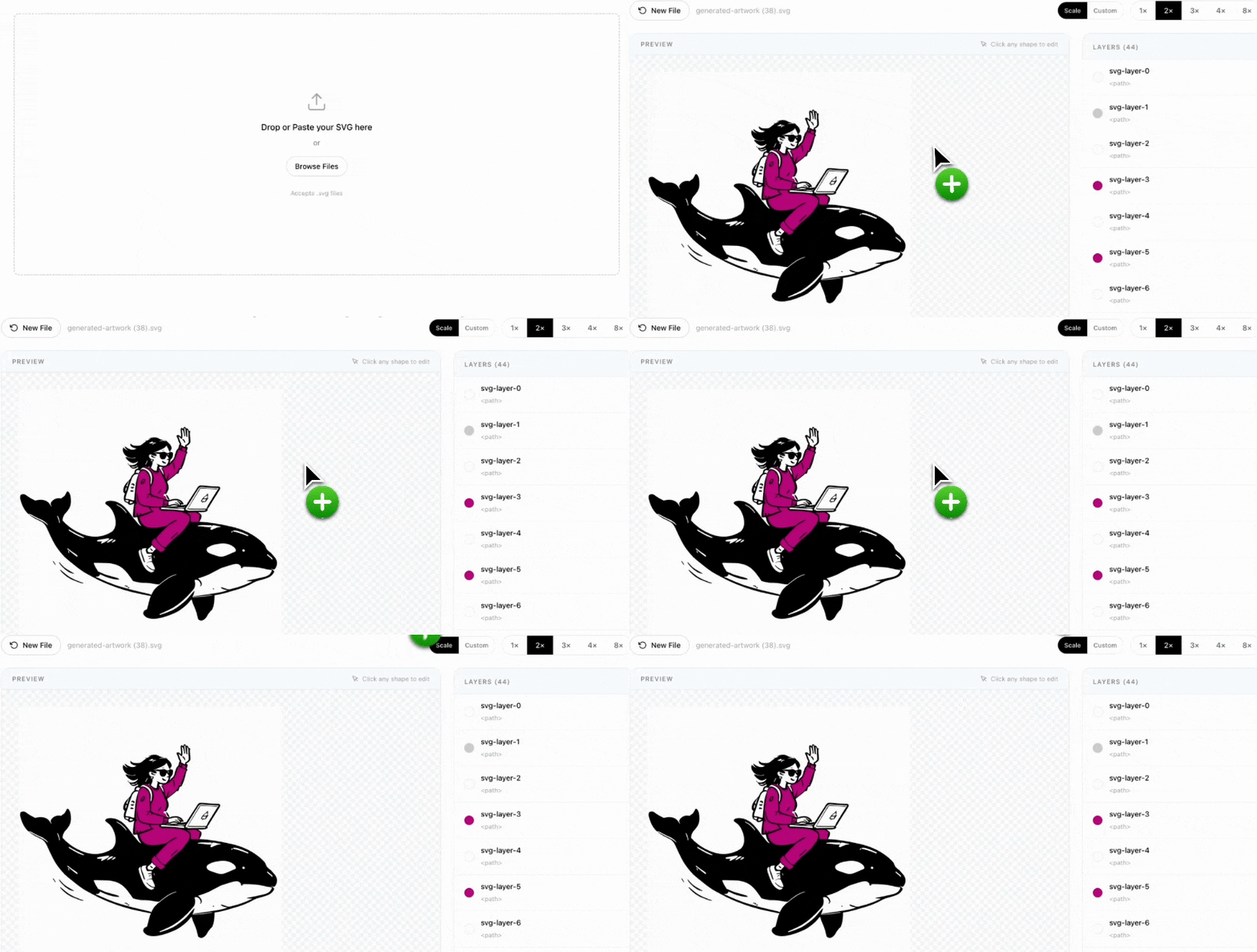
1. Upload Your SVG
Drag and drop your SVG file, paste markup from your clipboard, or click Browse Files. The tool parses every shape and displays a live preview.
2. Click Shapes to Edit
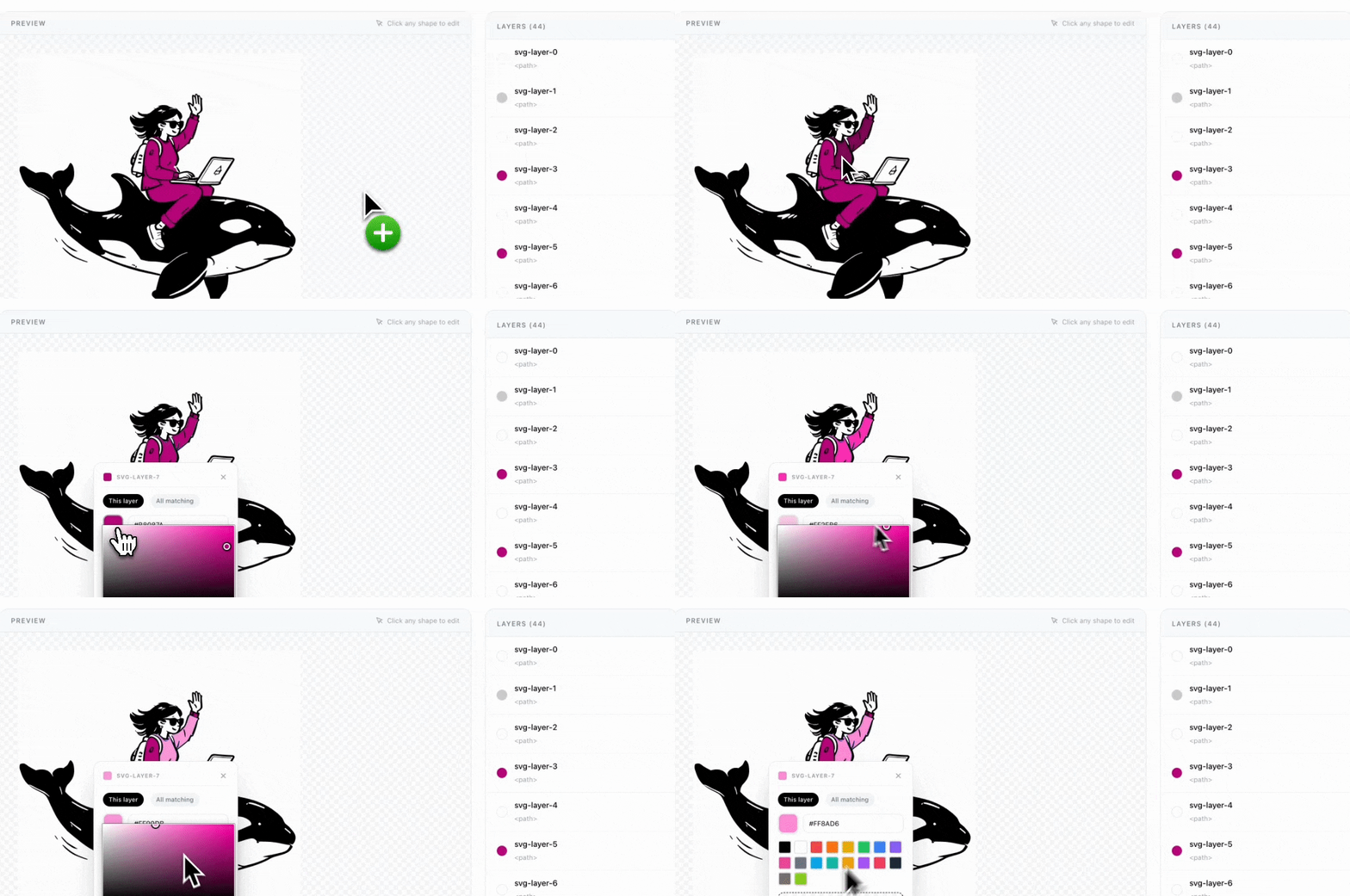
Click any shape directly on the preview to open an inline editor. Pick a new fill color, enter a hex code, choose from swatches, or make it transparent. Toggle between editing a single layer or all matching colors at once.
3. Choose Size & Download
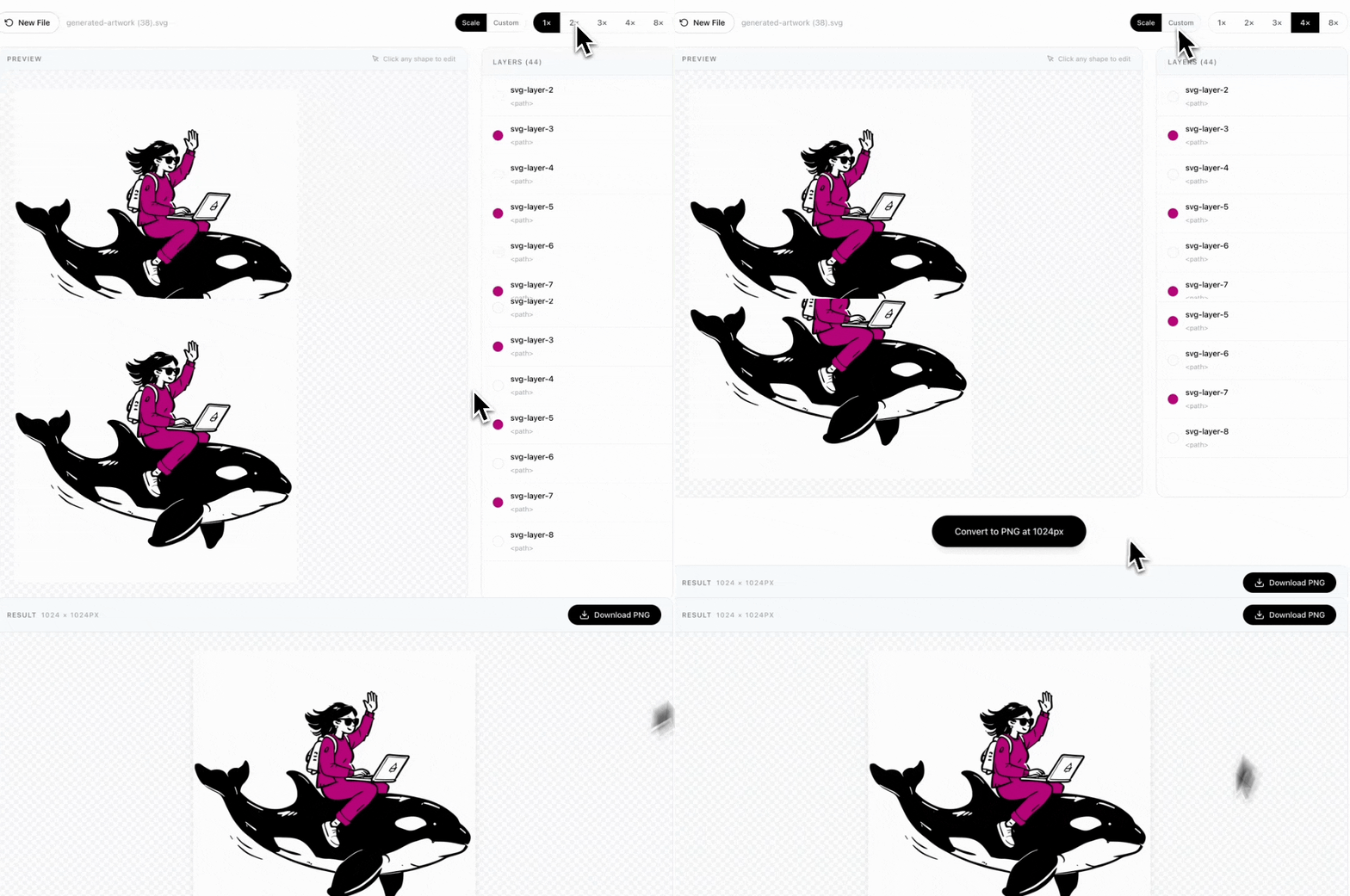
Use Scale mode (1×–8×) for quick presets, or Custom mode to set the exact pixel size for the longest side. Hit Convert and download your crisp PNG instantly.
FAQ
Is my data safe?▼
Yes. Your SVG is sent to the server only for conversion, processed in memory, and never stored.
Can I set a custom export size?▼
Yes — switch to Custom mode in the toolbar and enter the pixel size you want for the longest side. The other dimension scales proportionally.
Can I change colors?▼
Yes — click any shape in the preview. An editor appears with a color picker, hex input, and preset swatches. Edit one layer or all matching colors at once.
Can I make layers transparent?▼
Yes — click a shape and hit 'Make transparent'. Hidden layers become fully transparent in the exported PNG.
Is it free?▼
Yes, completely free. No signups, no credit cards.